Get your WhatsApp contacts, groups and chats out.
WAVault is a free browser extension for WhatsApp Web and WhatsApp Business. Export every contact to Excel, CSV, vCard, Google Contacts or Outlook, pull the member list of any group you are in, back up whole chats with their photos and voice notes, and save statuses. It runs inside your own browser and sends nothing anywhere.
- Chrome, Edge, Brave, Opera, Firefox, Safari
- MIT license, no account
- Nothing leaves your browser

WhatsApp holds your contacts. It has no export button.
WAVault adds the buttons that are missing, and merges everything WhatsApp scattered into one clean list.
- Customers trapped in a chat appSmall businesses run on WhatsApp Business but cannot get their customer list, sorted by label, into a spreadsheet or CRM.
- Contacts split across years of phonesSwitching phones and syncing devices leaves the same person in the address book, in chats and in groups, often twice.
- Group lists you cannot downloadAdmins of schools, clubs and communities need member lists for attendance, invitations or a newsletter.
- Chats you want to keepThe phone exports one chat at a time. Statuses vanish after a day.
Every contact, filtered the way you need
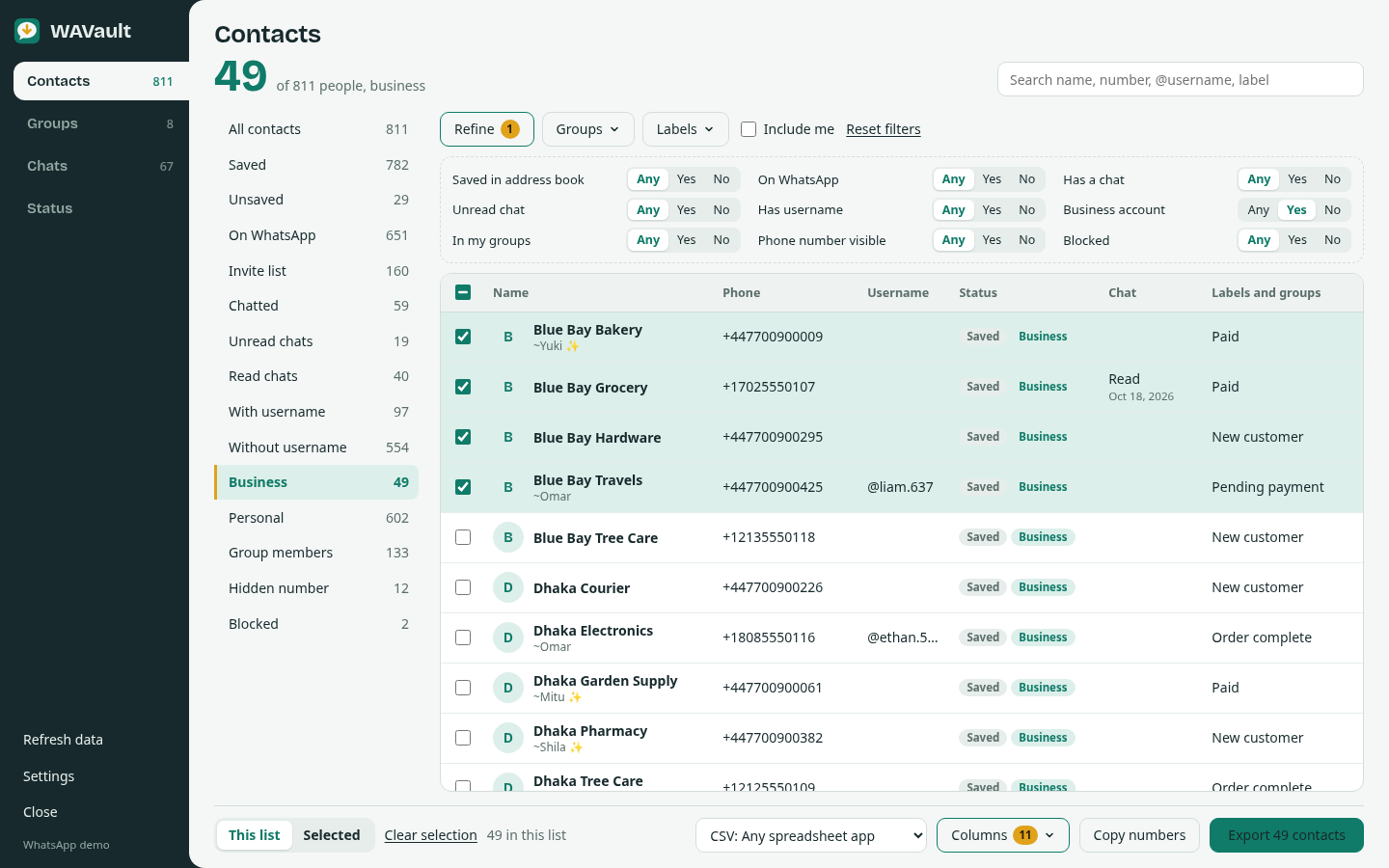
One row per person, merged from your address book, chats and groups. Pick a list, narrow it down, tick rows if you only want some, and export.
- 15 lists: Saved, Unsaved, Invite list, Chatted, Unread, Business, With or without username, Group members, Blocked…
- Any/Yes/No filters, group and Business label filters
- Search names in any script and numbers in any format
- Choose from 20 columns
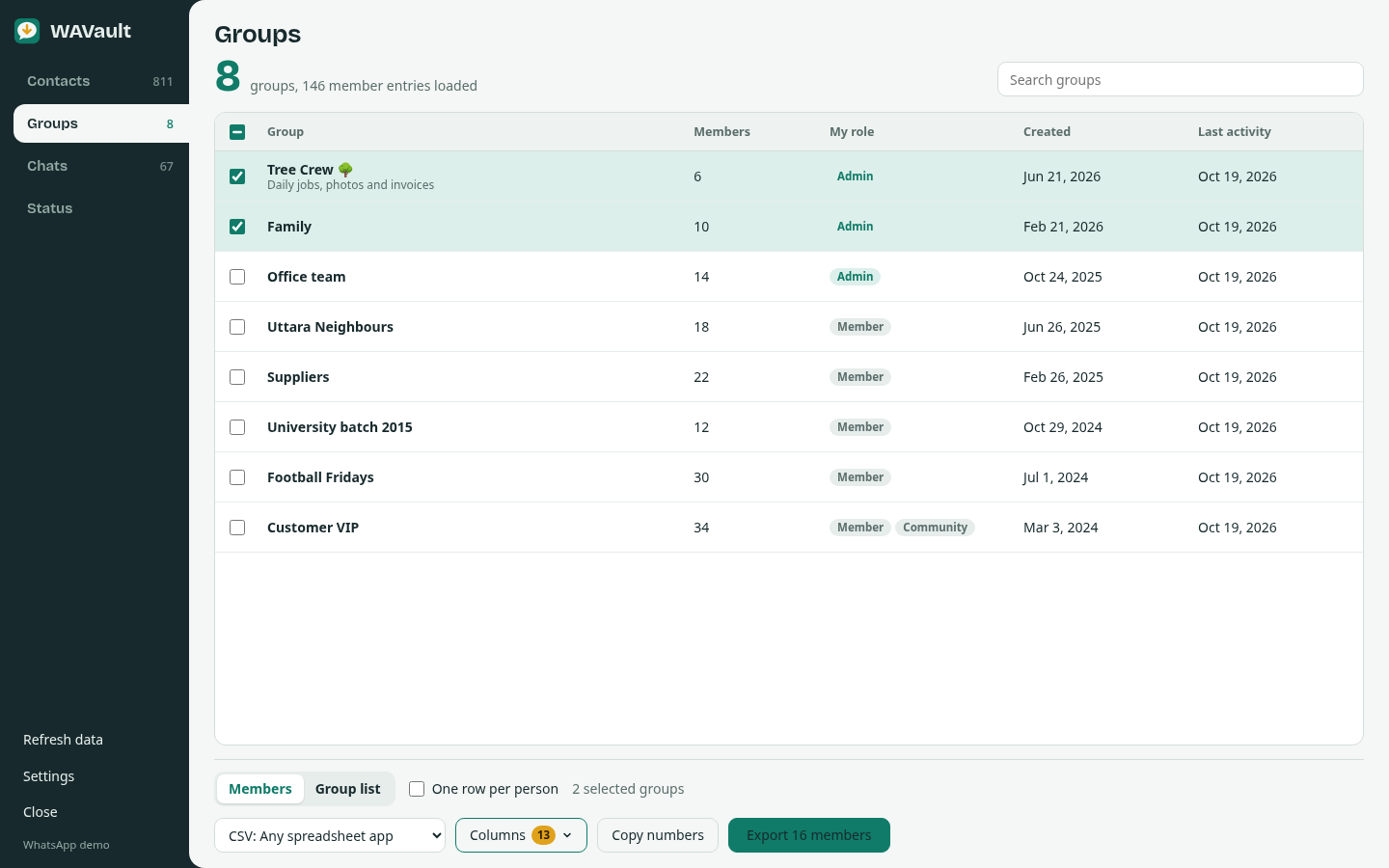
Member lists for any group you are in
Load member lists once, tick groups, export. Each member comes with a role: Owner, Admin or Member.
- Excel gives one sheet per group
- One row per person removes duplicates across groups
- Or export the group list itself, with sizes and dates
Chat backups you can open anywhere
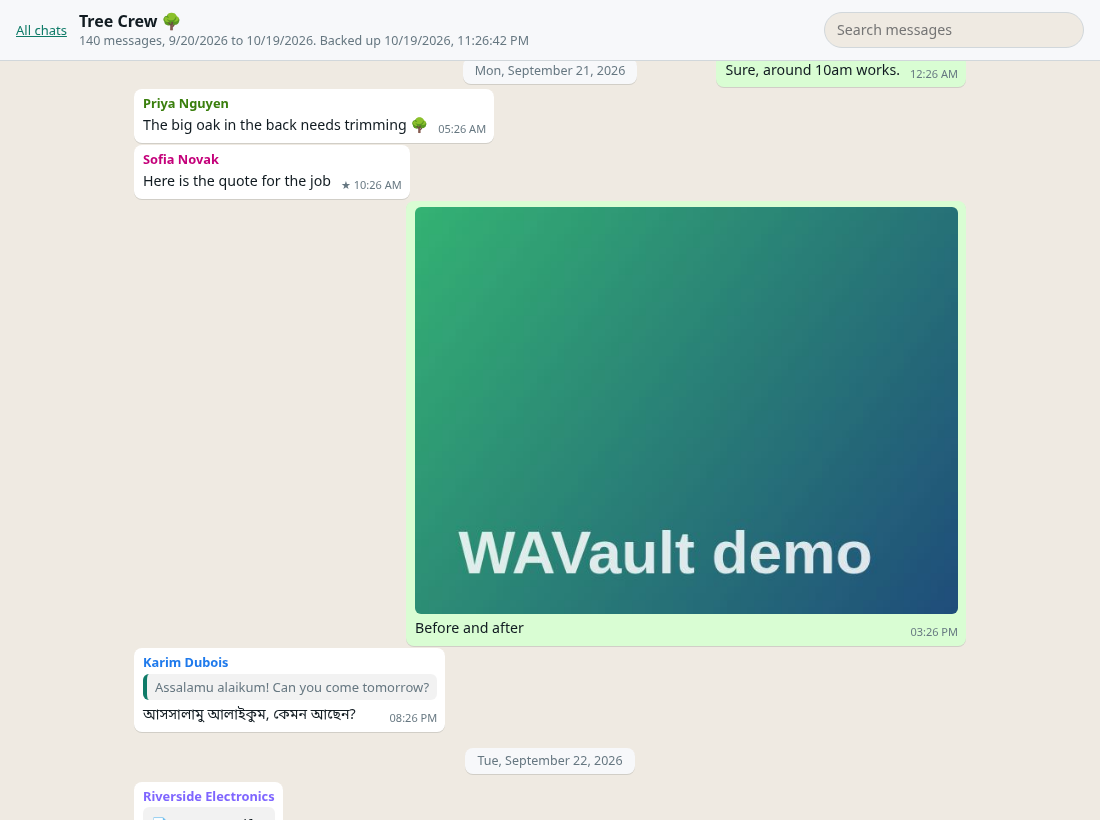
Pick chats, formats, media and a period. WAVault loads the history page by page, decrypts the media and saves a ZIP with a folder per chat.
- HTML viewer that looks like WhatsApp, with search
- Text in WhatsApp's own export layout, plus JSON and CSV
- Photos, videos, voice notes, documents, stickers
- Says plainly which chats have partial history
Save statuses before they disappear
All current updates, grouped by contact. Save one in original quality, or select several and get a ZIP with a gallery page.
Status guide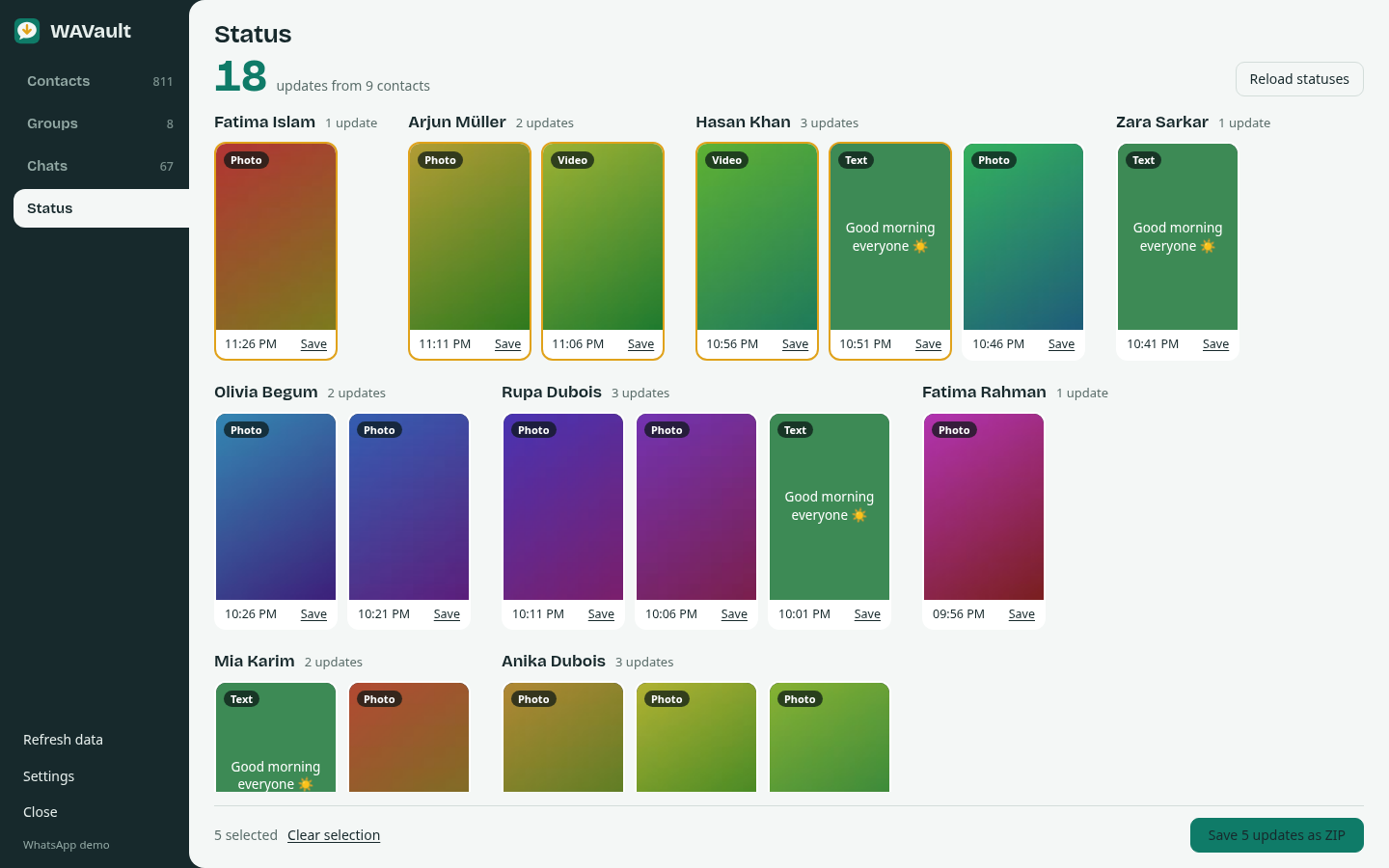
Formats other apps can import
Install in two minutes
Download
Get the zip for your browser from the latest release and unzip it into a folder you keep.
Load it
Open your browser's extensions page, turn on Developer mode, click Load unpacked and choose the folder.
Open WhatsApp Web
Log in at
web.whatsapp.comand click the WAVault tab on the right edge.
| Chrome, Brave, Opera, Vivaldi, Arc | chrome://extensions (Brave: brave://extensions) → Developer mode → Load unpacked |
|---|---|
| Microsoft Edge | edge://extensions → Developer mode → Load unpacked |
| Firefox 140+ | about:debugging → This Firefox → Load Temporary Add-on, or sign your copy for a permanent install |
| Safari | Build once with Xcode on a Mac, then enable it in Safari settings |
Your data stays on your computer
No server
No account, analytics, tracking or remote code. WAVault makes no network requests of its own.
Read-only
It never sends messages and never changes your chats, contacts or groups.
Open source
Every line is on GitHub under the MIT license, so anyone can check this. Privacy policy
Questions
How do I export all my WhatsApp contacts to Excel?
Install WAVault, open WhatsApp Web, click the WAVault tab on the right edge, stay on All contacts, choose Excel in the format menu and click Export.
Can I export the members of a WhatsApp group?
Yes, for every group you are a member of. Open Groups, click Load member lists, tick the groups and export. Members whose number WhatsApp hides are shown as Hidden number.
Does WAVault work with WhatsApp Business?
Yes. Business labels become filters and an export column, and business names are exported.
Does WAVault upload my data?
No. It has no server and makes no network requests of its own. Files are created in your browser and saved to your computer.
Can I back up WhatsApp chats with photos to my computer?
Yes. In Chats, pick the chats, formats and media types, and click Back up. You get a ZIP with a folder per chat, the media files and an offline viewer that looks like WhatsApp.
Is WAVault free?
Yes. It is free and open source under the MIT license, with no account and no limits.